North Korea 3

North Koreans as seen through rented binoculars from the Broken Bridge.
Jump to navigation Skip to content
North Koreans as seen through rented binoculars from the Broken Bridge.
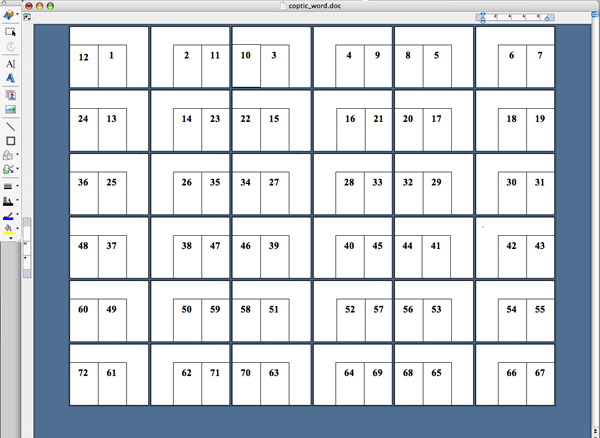
8. The pages of your book will need to be printed double sided, which means the boxes on the even-numbered pages need to appear on the side of the page opposite the ones on the odd-numbered pages. On the even-numbered pages only, select both boxes by holding down the Shift key and clicking on each one. Drag them to the bottom-right corner of the page (fig. G). To set up your pages in the correct number of signatures—the
7. Using the Select Objects tool, drag the box
to the edge of the bottom-left corner of the page. Copy (Edit > Copy) the
box and paste (Edit > Paste) a duplicate outside the first box, then drag
the copy so that it abuts the first box on its right side. Select both boxes by
holding down the Shift key and clicking on each one. Copy and paste the boxes
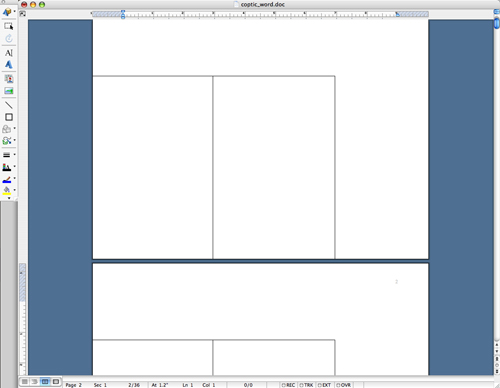
on each of the following pages (thirty-six in total). See figure F.
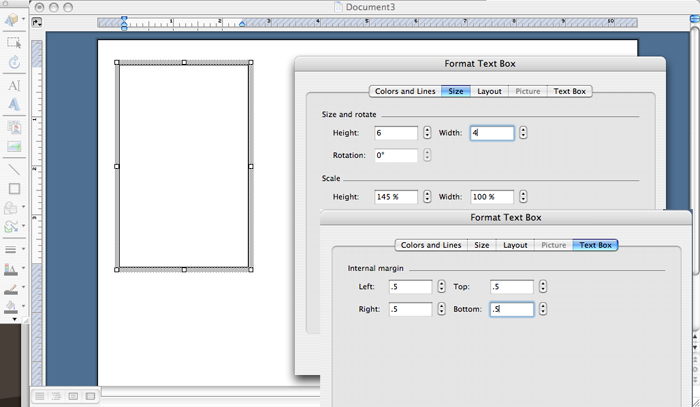
6. Select the
Text Box tool and draw a box on the first page. Double click on any outer edge
of the box, which will open the Format Text Box menu; select the Size tab, set
the height and width to 6 x 4 inches. Select the Text Box tab, set all the
margins to .5 inches, and click OK. See figure E.
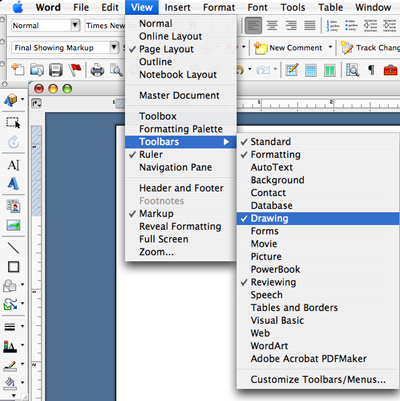
5. Open the Drawing toolbar (View > Toolbars > Drawing) as shown in figure D.
A new exhibit in Chicago on the origins of written language; global Literary Death Match; Mumbai University drops a book from its curriculum after threats from extremists; Mark Twain's autobiography hits number one on Amazon's bestseller list; and other news.
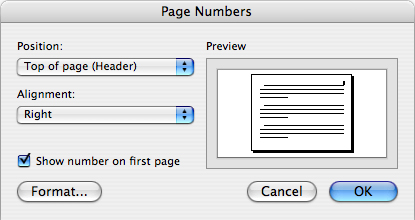
4. Go to Insert > Page Numbers… and select Top of page (Header) and Right alignment (fig. C). (These page numbers will be trimmed off later, but will be useful for printing out your pages.)
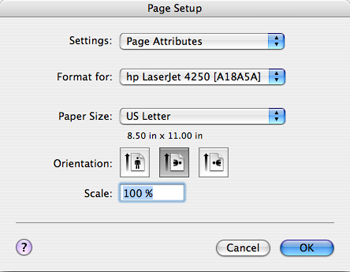
2. To format your book in Microsoft Word for standard postcard size, open a New Blank Document (under the File menu). Go to File > Page Setup and choose the landscape orientation; click OK (fig. B).
3. Create thirty-six pages by inserting page breaks (Insert > Break > Page Break).
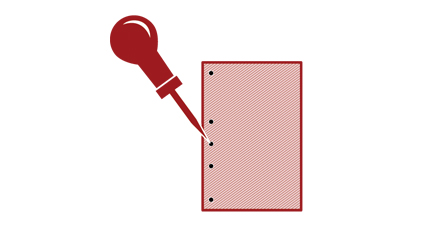
1. Choose your covers—postcards (sets of two glued back to back), old book covers, heavy card stock—and punch holes with an awl (purchased at hardware stores for about eight dollars) about a quarter inch from the left edge: one near the top, one near the bottom, and about three in between; they need not be equidistant (fig. A).
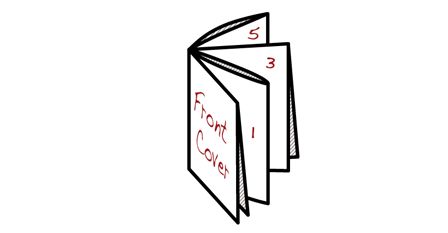
18. Fold the pages in the correct order (fig. R).