




Image:
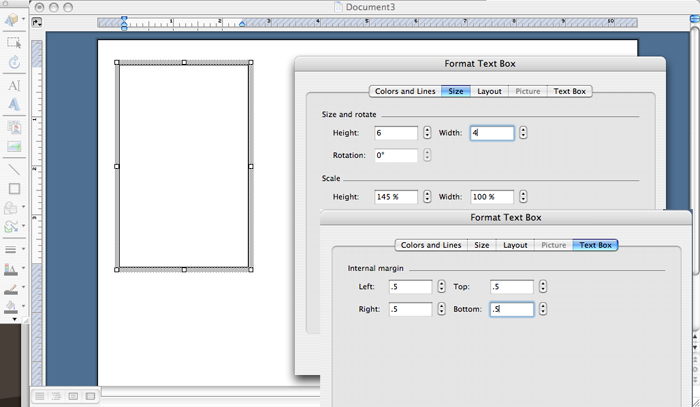
6. Select the
Text Box tool and draw a box on the first page. Double click on any outer edge
of the box, which will open the Format Text Box menu; select the Size tab, set
the height and width to 6 x 4 inches. Select the Text Box tab, set all the
margins to .5 inches, and click OK. See figure E.