Figure G
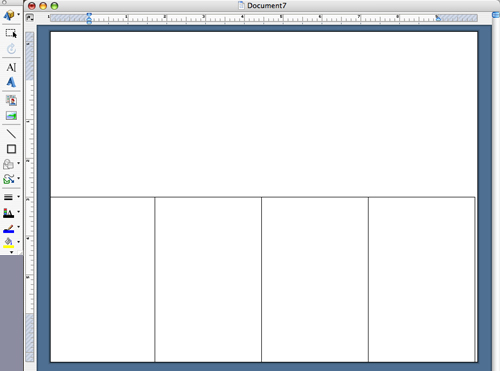
7. Copy (Edit > Copy) the box and paste (Edit > Paste) a duplicate outside the first box, then drag the copy so that it abuts the first box. Do this two more times until you have four boxes aligned at the bottom of the document (fig. G).
Jump to navigation Skip to content
7. Copy (Edit > Copy) the box and paste (Edit > Paste) a duplicate outside the first box, then drag the copy so that it abuts the first box. Do this two more times until you have four boxes aligned at the bottom of the document (fig. G).
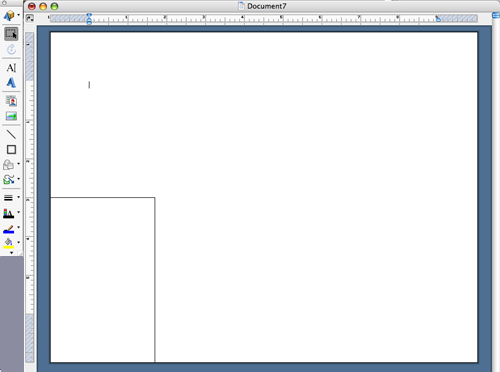
6. Using the Select Objects tool, drag the box to the edge of the bottom-left corner of the page (fig. F).
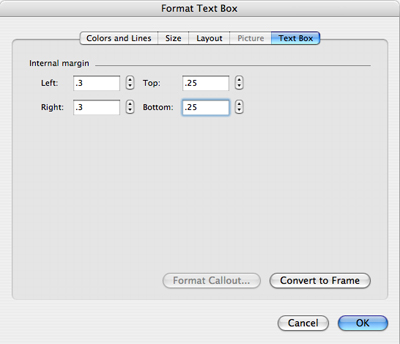
5. Select the Text Box tab, set the left and right margins to .3 inches and the bottom and top margins to .25 inches, and click OK (fig. E.).
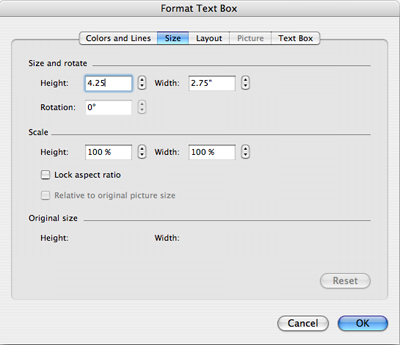
4. Double click
on any outer edge of the box, which will open the Format Text Box menu; select
the Size tab, set the height and width to 4.25 x 2.75 inches (fig. D).
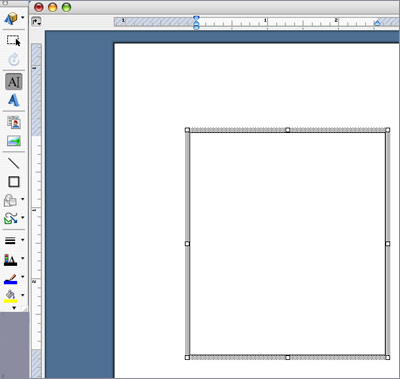
3. Select the Text Box tool and draw a box (fig. C).
2. Open the Drawing toolbar (View > Toolbars > Drawing) as shown in figure B.
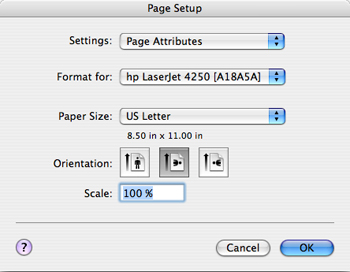
1. To format your book in Microsoft Word, open a New Blank Document (under the File menu). Go to File > Page Setup and choose the landscape orientation; click OK (fig. A).
Delivering books by Dobbin in New Zealand; HTML Giant's new Literary Magazine Club; Editor & Publisher replaces its editorial staff; the Georgetown library reopens after being destroyed by a fire; and other news.
This month literary agent Betsy Lerner's revised edition of The Forest for the Trees: An Editor's Advice to Writers was published by Riverhead Books. Originally published ten years ago, the updated guide includes information about electronic etiquette, book promotion via social media platforms, and the current publishing economy. Lerner, who began her career as an editor, is a partner in the Dunow, Carlson & Lerner Agency in New York City. Lerner answers questions from writers on her blog betsylerner.wordpress.com.
Meet the "mine poet"; Charles Olson turns one hundred; Stieg Larsson trained guerilla soldiers in Africa; the aftermath of the National Book Award announcement; a new Vargas Llosa novel is forthcoming; and other news.